Features
Just what you need. Nothing you don't.
No feature dump. Here is the short list of things Cleanmail™ does, and does well.
Trusted with the family inbox.
Cleanmail connects to Gmail read-only. Your digest only covers the senders you pick. Everything else in your inbox stays untouched, and nothing you share is ever sold.
- Gmail stays read-only
- Only senders you pick
- Encrypted
- Never sold
Cleanmail passed Google's CASA security assessment, the independent review Google requires of any app that connects to Gmail. Read the privacy policy
See it in action
One photo. 41 smart events. One Clean Mailbox.
- 1Snap the paper calendar or flyer.
- 2Cleanmail pulls out every date.
- 3They land on your calendar, sorted by person.
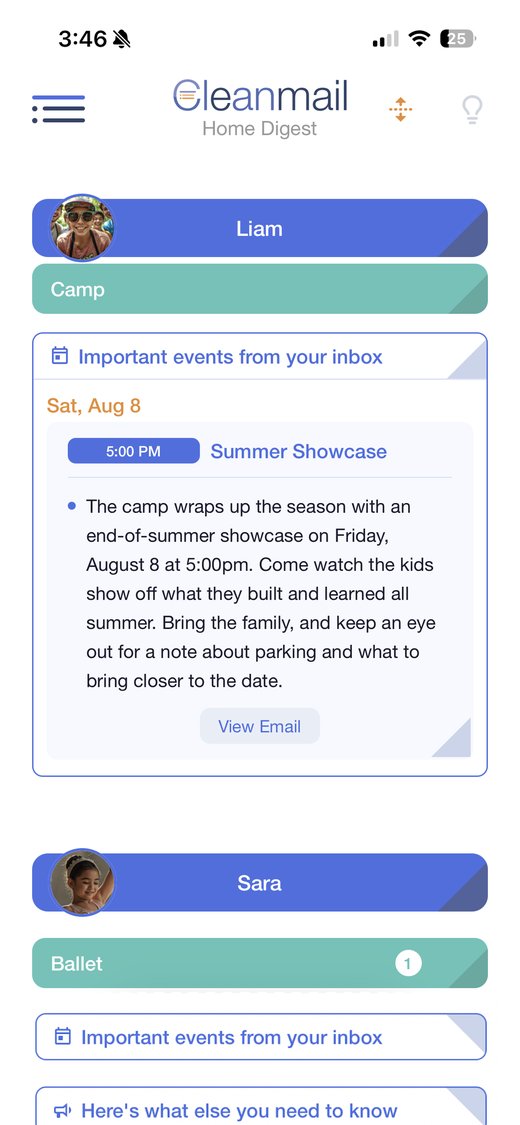
The whole point
Sorted by person, not by sender.
Cleanmail sorts the school, camp, and activity mail by the people you care about, then breaks each thread into short, plain-language snippets. You get your whole family's week at a glance, without reading a single full email. And your calendar stays yours: keep it private inside Cleanmail, or share it with your household so everyone sees the same schedule.
Snap anything
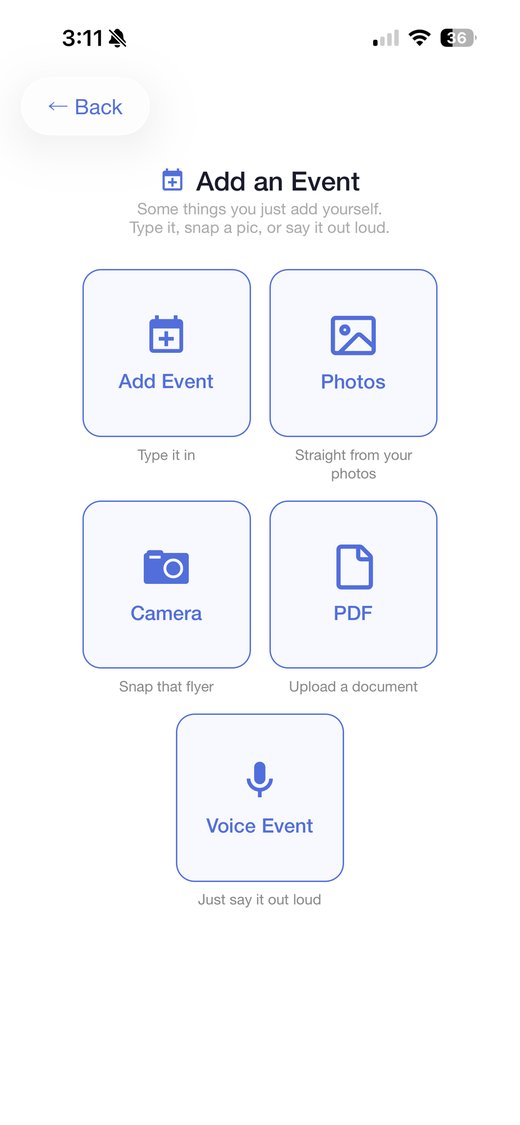
See a flyer, yard sign, or calendar? Snap it, upload it, add it all instantly.
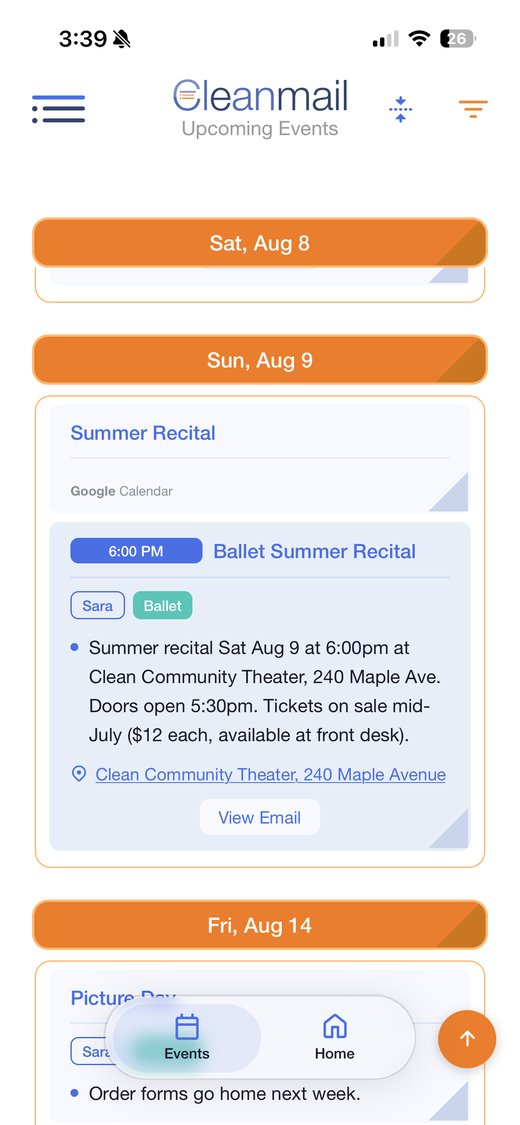
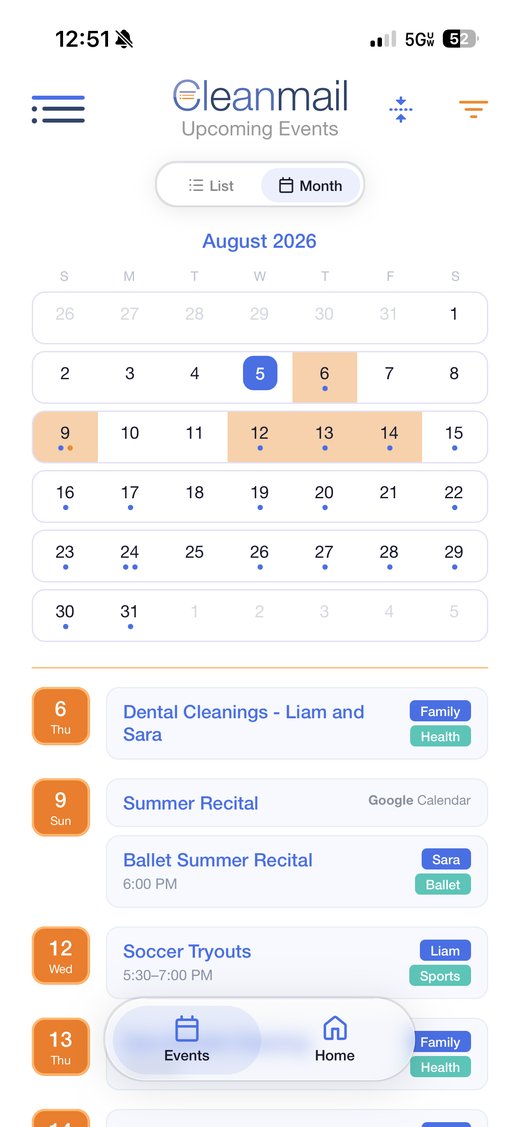
Week or month
Always up to date. Scan the week as a list, or open the month to see it all at once.
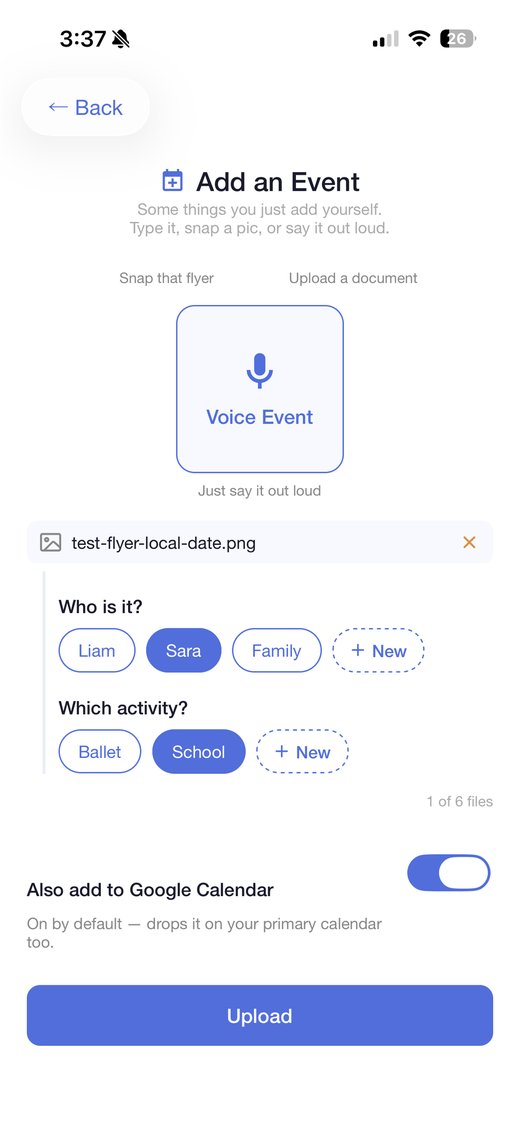
Add anything
Not everything comes by email. Add custom events by photo, tap, or voice.
Two-way calendar
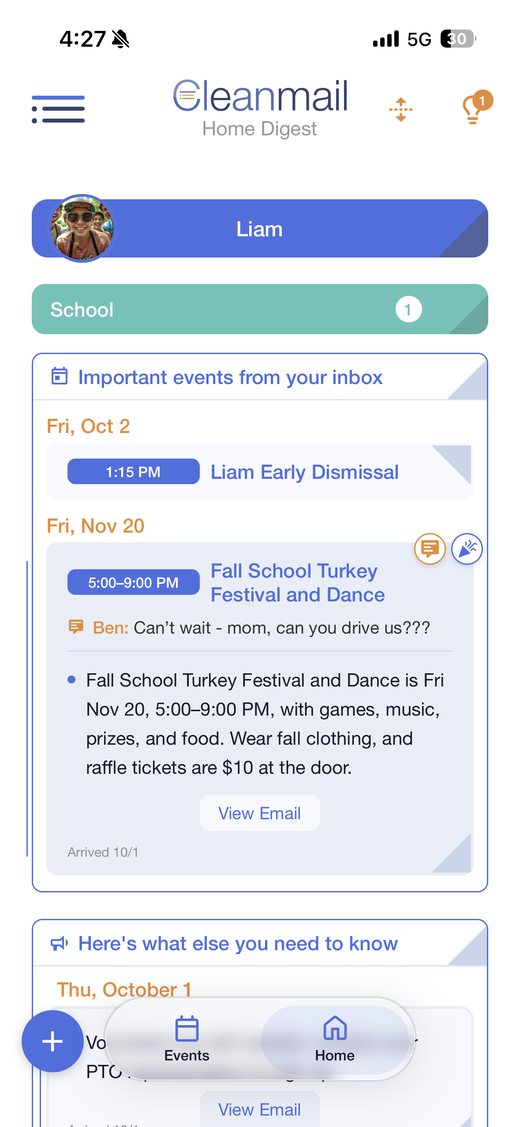
Dedicated two-way Google Calendar sync. Pick your main calendar, then change it anywhere and it changes everywhere.
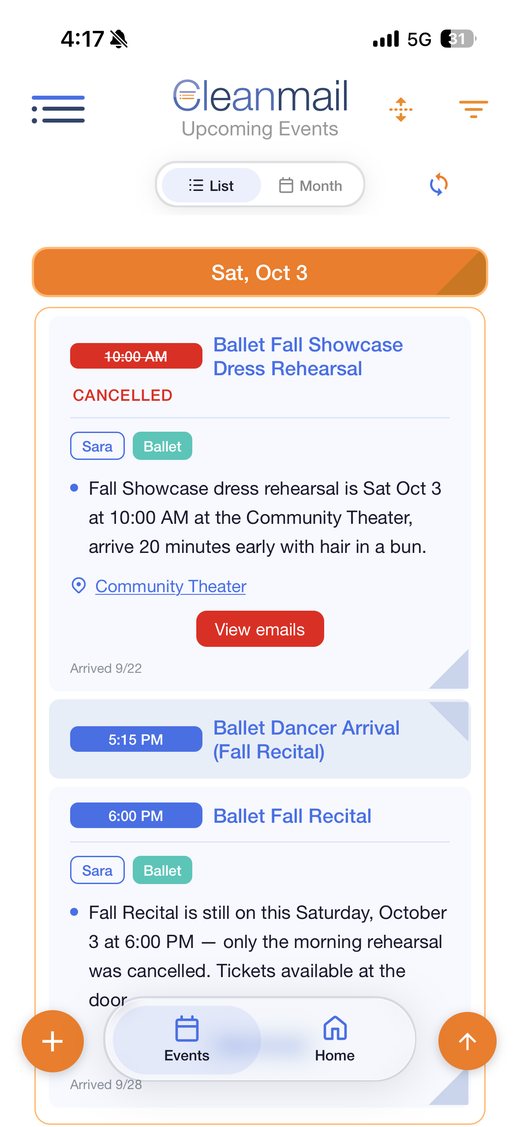
Cancellations, caught
Did the school email to cancel an event? It's now cancelled in Cleanmail and on your Google Calendar too.
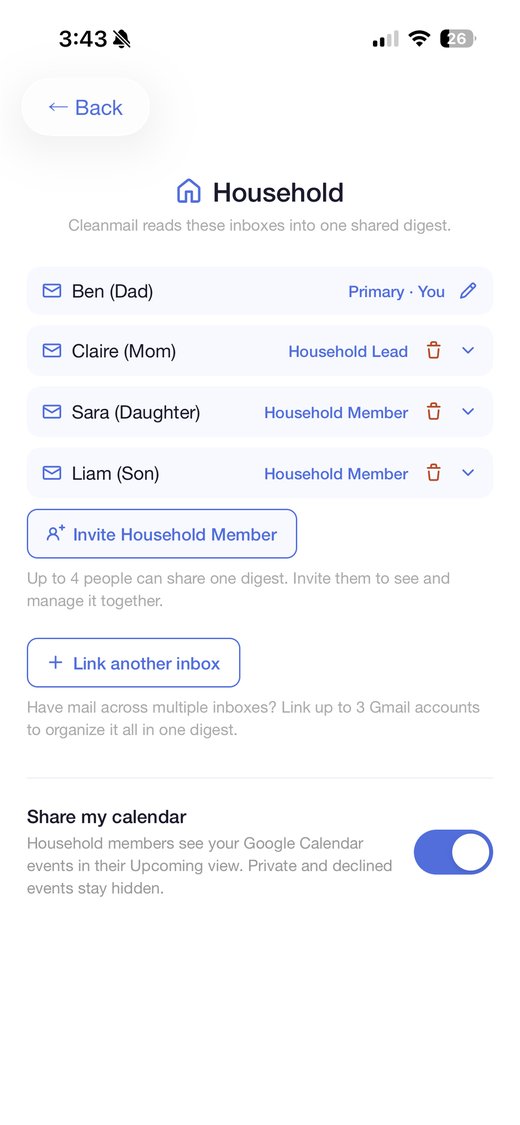
Household & inboxes
Share one digest with up to four people, and pull up to three Gmail inboxes into it. Everyone and everything in one place.
Notes & reactions
Leave a quick note or a reaction on any card, and the whole household sees it.
Reminders
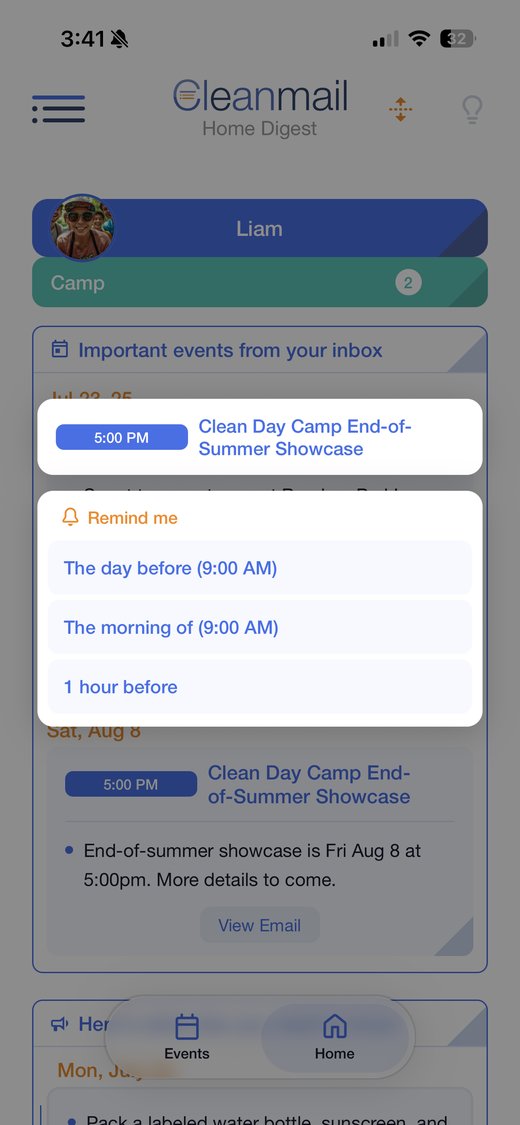
A nudge before each event, so nothing ever sneaks up on you.
Voice edits
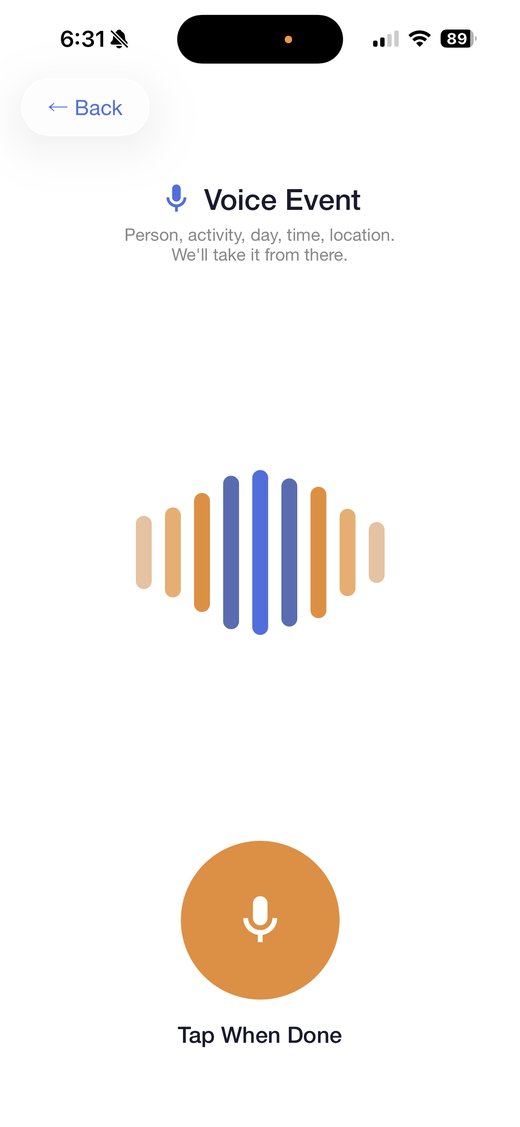
Change any event's time out loud. Cleanmail hears you and updates it.
A few more things
Small, but they earn their place.
Instant updates. The moment an email arrives, it's already waiting in Cleanmail, no refreshing.
Pinned events. Keep the big ones stuck to the top of your digest.
Smart senders. Name an activity and Cleanmail finds the senders that fit, groups a company's many addresses into one, and moves a sender to another person in a tap.
Tap straight through. Cards from your inbox link back to the email they came from, and any address opens in maps.
Changes, shown. When a correction comes back as a reply on the same email thread, the event updates and the old time stays crossed out underneath.
Searchable history. Past digests stay searchable for the detail you need weeks later.
 Scan to download